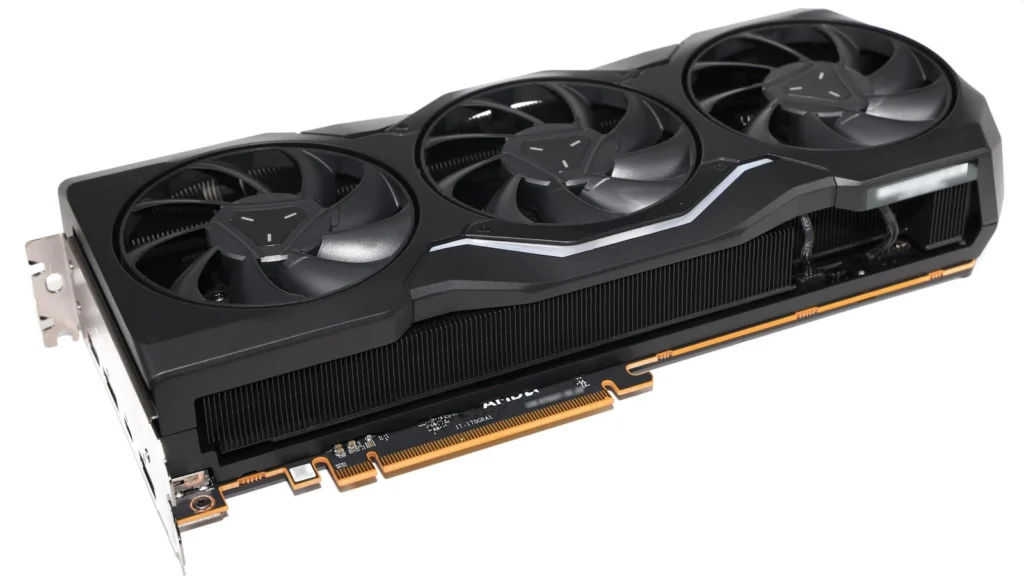
AMD Software: Adrenalin Edition 26.9.2 is the newest Optional Radeon driver branch as of October 1, 2026, but that does not make it the automatic choice for every gamer. AMD still lists 26.8.1 as the WHQL Recommended branch on current Radeon download pages.
The practical decision depends on what you play, which Radeon generation you use, and whether one of 26.9.2’s known issues applies to your system.
Quick answer: should you install Adrenalin 26.9.2?
Install 26.9.2 if you need its new game support or one of its specific fixes. It adds support for several current releases and fixes driver-timeout or stability problems on selected Radeon families.
Staying on 26.8.1 is reasonable if your current system is stable and you do not need the new support. AMD still labels 26.8.1 as Recommended while 26.9.2 is Optional.
RX 5000 users playing War Thunder should be especially cautious. AMD lists a known War Thunder driver-timeout issue on RX 5000 hardware and recommends 26.9.1 for users who experience it.
26.9.2 adds support for six current games
AMD lists new game support for:
- Minecraft Dungeons II
- Call of Duty: Modern Warfare 4 campaign early access
- The Witcher 3: Wild Hunt Complete Edition 10th anniversary patch
- Gears of War: E-Day
- CONTROL Resonant
- Valor Mortis
If one of those games is your immediate priority, 26.9.2 has a clearer reason to install than it does for a player whose current library is already stable.
Important fixes in Adrenalin 26.9.2
AMD’s fixed-issues list is targeted rather than universal.
- Final Fantasy VII Rebirth: AMD says an intermittent driver timeout on Radeon RX 7000 series products is fixed.
- War Thunder on RX 6000: a driver timeout in DirectX 12 with Instant Replay and Borderless Region Capture enabled is addressed.
- Resonance: A Plague Tale Legacy: an Anti-Lag 2 status issue after disabling Frame Generation is fixed.
- HITMAN World of Assassination on RX 9000: AMD says an intermittent driver timeout or system freeze is fixed.
These fixes are hardware- and game-specific. If none matches your setup, the value of updating is mostly new-game support rather than a broad promise of better performance.
RX 5000 + War Thunder: this is the exception to watch
AMD lists a separate known issue for Radeon RX 5000 series users playing War Thunder: an intermittent driver timeout may still occur.
AMD’s own recommendation is unusually direct. If you are affected, install Adrenalin 26.9.1 instead.
If you need to downgrade, AMD also recommends using the AMD Cleanup Utility when moving back to a previous Adrenalin version. That guidance matters because a clean rollback reduces the chance of old and new driver components being mixed during troubleshooting.
Windows 10 users should check Smart Access Memory
AMD says Smart Access Memory may become disabled after installing the driver on Windows 10 systems.
If you use Smart Access Memory, verify its status after the update rather than assuming it remained enabled. This is a known issue in the release notes, not a general Windows 11 warning.
Optional versus Recommended: what the labels mean for this decision
AMD’s live Radeon download pages currently expose both branches:
- Adrenalin 26.8.1: WHQL Recommended
- Adrenalin 26.9.2: WHQL Optional
That distinction is useful. The Optional branch is newer and carries the newest game support and fixes, while the Recommended branch remains the safer default for users who prioritize a more established release and do not need anything specific from 26.9.2.
The label does not mean 26.9.2 is inherently unsafe. It means “newest” and “AMD’s Recommended branch” are currently different things.
Laptop and all-in-one users should check the OEM driver first
AMD says its notebook reference driver has limited support for system-vendor-specific features. For laptops and all-in-one PCs, AMD recommends the OEM-provided driver when system-specific support or compatibility matters.
If an AMD.com driver causes problems on a laptop or AIO, the vendor driver should be part of your troubleshooting path rather than assuming the newest generic package is always best.
Handheld gaming PCs are not covered by this generic package
AMD explicitly says the generic Adrenalin package does not include support for handheld gaming devices and tells handheld users to check with the OEM for device-specific drivers.
That means Steam Deck-style or Windows handheld owners should not treat the desktop Radeon package as the default update path simply because the device uses AMD graphics.
Background shader compilation can temporarily affect performance
AMD also published a 26.9.2 support note explaining that DirectX 12 background shader compilation has expanded to Unreal Engine 5 titles.
AMD warns that performance can be lower while compilation is still running and recommends allowing roughly 15 minutes of gameplay before capturing performance measurements. For in-game benchmarks, AMD says the first run of each new session should be excluded.
This matters if you update and immediately benchmark a game. A first-run dip after installing 26.9.2 does not automatically prove the new driver is slower.
Who should update now?
Update now if:
- you are playing one of the newly supported games
- you are affected by one of the RX 6000, RX 7000, or RX 9000 fixes AMD lists
- you are comfortable using the Optional branch and validating your own system after installation
Consider staying on your current driver if:
- 26.8.1 or another current driver is already stable for your games
- you do not need the new game support
- you prefer AMD’s current Recommended branch over the newest Optional release
- you use an OEM laptop/AIO driver or a handheld-specific driver path
RX 5000 War Thunder users: if 26.9.2 produces the timeout AMD describes, follow AMD’s own 26.9.1 rollback recommendation.
Bottom line
Adrenalin 26.9.2 is a useful targeted update, not a mandatory upgrade for every Radeon owner. Its strongest reasons to install are new game support and specific fixes. Its strongest reasons to wait are a stable existing system, the still-Recommended 26.8.1 branch, OEM or handheld driver requirements, and the RX 5000 War Thunder issue.
The safest approach is to match the driver to your actual games and hardware rather than updating only because the version number is newer.