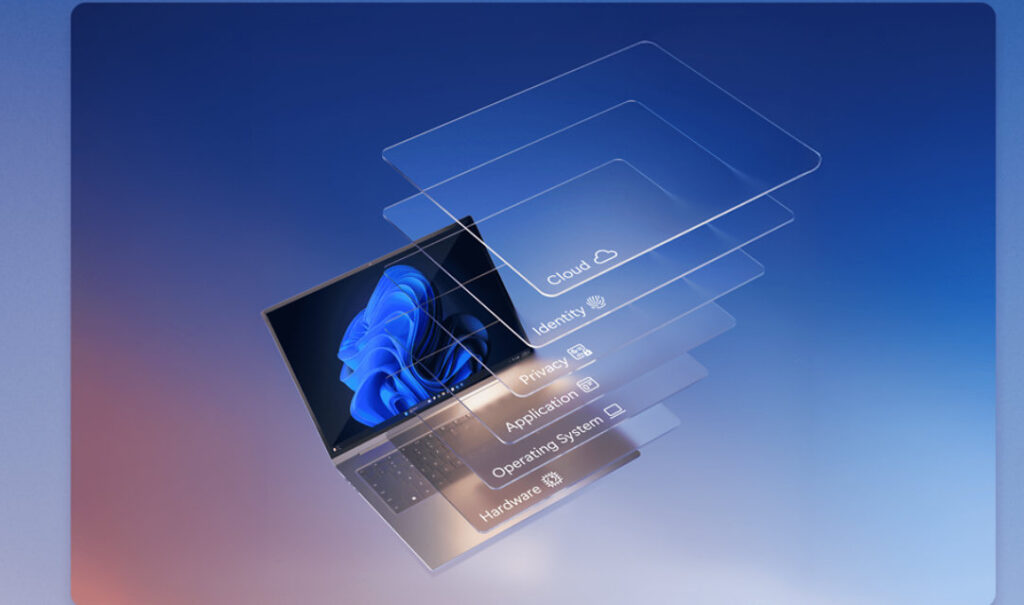
Microsoft is expanding Memory Integrity protection across more eligible Windows devices beginning in October 2026. For PC gamers, the important part is not simply that Windows is turning on another security feature. It is that Memory Integrity, also called Hypervisor-protected Code Integrity (HVCI), can affect low-level drivers and can add some performance overhead depending on the hardware.
The rollout is also more nuanced than several “Patch Tuesday will force it on everywhere” headlines suggest. Microsoft says the change is gradual, Windows evaluates each device using hardware, compatibility and performance signals, and systems where the user or administrator previously disabled Memory Integrity are not supposed to be automatically changed by this rollout.
What is changing in October 2026?
In the Windows Message Center, Microsoft says Windows quality updates will start enabling Memory Integrity on more eligible devices beginning in October 2026.
On some systems, Windows may also enable Virtualization-based Security (VBS), which provides the isolated environment that Memory Integrity relies on.
Microsoft says the rollout is gradual, so not every eligible PC will change at the same time. Before enabling the protection, Windows evaluates readiness using factors including hardware capability, compatibility, performance considerations, Windows 11 requirements and recommended built-in protections.
Is October 13 a universal switch-over date?
No first-party Microsoft source reviewed by IGZ establishes October 13 as a universal moment when every supported Windows gaming PC will have Memory Integrity enabled.
October is the rollout window. The Windows Message Center explicitly describes a gradual rollout and says eligible devices are evaluated before the feature is enabled.
That distinction matters because a gamer who checks the setting on one machine in mid-October may see a different state from another otherwise similar PC. A Windows quality update can be available without every device immediately receiving the same staged configuration change.
Will Windows turn Memory Integrity back on if you previously disabled it?
Microsoft says no for this rollout.
Its current Message Center notice states that existing administrator and user decisions and policies remain in effect. Devices where Memory Integrity was previously disabled will not be automatically changed by the October rollout.
That means someone who deliberately switched the feature off earlier should not assume Windows will silently reverse that decision as part of this specific expansion.
However, it is still worth checking the setting after major Windows changes rather than relying on memory. You can view it at:
Windows Security → Device security → Core isolation details → Memory integrity
Why does Memory Integrity matter for gaming performance?
Memory Integrity protects Windows by moving kernel-mode code-integrity checks into an isolated environment created with hardware virtualization. That makes it harder for malicious or tampered low-level code to compromise the Windows kernel.
The extra isolation can also create performance overhead.
Microsoft’s Memory Integrity deployment guidance says the feature works more efficiently on processors with suitable hardware acceleration. It specifically notes that older processors that rely on emulation can experience a larger performance impact.
That does not justify a universal claim such as “Memory Integrity costs 15% FPS.” The impact varies by CPU, workload, game, driver stack and whether VBS was already active. IGZ is therefore not assigning a single FPS penalty to the feature without a controlled benchmark on the exact system in question.
Should gamers disable Memory Integrity for more FPS?
Not by default.
Memory Integrity exists to protect the Windows kernel from malicious or untrusted low-level code. Disabling it weakens that protection, so chasing a small theoretical frame-rate gain is not automatically a good trade.
A better troubleshooting order is:
- confirm whether Memory Integrity actually changed state
- check Windows Update history and recent graphics/chipset/peripheral driver changes
- measure the affected game before and after any controlled troubleshooting change
- look for incompatible or blocked drivers
- only consider disabling Memory Integrity when there is a reproducible problem and you understand the security trade-off
If you temporarily switch it off for diagnosis, remember that the goal is to identify the cause, not to assume the feature is responsible for every performance regression.
Can Memory Integrity break drivers or devices?
Yes, incompatible low-level drivers are one of the most important practical issues to watch.
Microsoft’s driver compatibility guidance says some applications and hardware drivers may still be incompatible with Memory Integrity. Incompatibility can cause software or devices to malfunction and, in rare cases, can contribute to a boot failure.
Microsoft also says that when an incompatible boot-critical driver is detected after automatic enablement, Windows has mitigation logic designed to turn Memory Integrity back off rather than leave the machine unbootable.
For non-boot-critical problems, the first fix should generally be an updated driver from the hardware or software vendor rather than immediately abandoning the security feature.
How do you check for an incompatible driver?
If Windows Security says Memory Integrity cannot be enabled, Microsoft recommends checking for an updated driver from the device manufacturer.
For deeper troubleshooting, Microsoft’s current documentation points to:
- Windows Security → Device security → Core isolation details for the user-facing state
- Event Viewer → Applications and Services Logs → Microsoft → Windows → CodeIntegrity → Operational for compatibility events
- msinfo32 to inspect whether VBS and related security services are running
- the HVCIEnabled state under Windows’ Code Integrity registry state for advanced diagnostics
Most users should not need registry editing. The Windows Security interface and vendor driver updates are the safer first steps.
Which PCs are more likely to be eligible?
Microsoft’s current Memory Integrity documentation describes hardware and software requirements used for automatic enablement, including compatible processors, sufficient memory and storage, hardware virtualization, and Memory Integrity-compatible drivers.
For example, its current baseline documentation lists Intel 8th-generation-or-newer processors for Windows 11 22H2-era logic, AMD Zen 2 or newer, at least 8 GB of RAM on x64 systems, a qualifying SSD, compatible drivers and virtualization enabled in firmware.
Those published requirements are useful context, but they should not be read as a guarantee that every PC meeting the list will be switched on immediately in October 2026. Microsoft says the new rollout also evaluates compatibility and performance signals, and it is staged.
What if your game or anti-cheat stops working?
Do not immediately assume the game itself is broken.
Memory Integrity can expose compatibility problems in kernel-mode components, including older drivers and low-level utilities. Gaming systems often have more of these than a basic office PC because they may include RGB utilities, monitoring tools, controller software, overclocking components, capture drivers and anti-cheat systems.
If something stops working after the rollout:
- check whether Memory Integrity is now enabled
- update the game, anti-cheat, graphics driver and affected peripheral/software driver
- check Windows Security for an incompatible-driver notice
- review Code Integrity events if the cause is not obvious
- test one change at a time so you can identify the actual dependency
How this connects to IGZ’s PC Gaming Security Readiness Checker
IGZ’s PC Gaming Security Readiness Checker covers documented boot-security requirements for selected games and competitive contexts.
This article answers a different question: what Windows itself is changing at the operating-system level and how a gamer should troubleshoot Memory Integrity when it affects drivers, compatibility or performance.
The two topics increasingly overlap because modern PC gaming can depend on Secure Boot, TPM, virtualization-backed security and kernel-level anti-cheat requirements at the same time.
What IGZ will recheck
IGZ will revisit this article when Microsoft publishes a clearer rollout milestone, changes the eligibility logic, documents gaming-specific compatibility issues, or materially changes its Memory Integrity guidance.
The main point to remember for October is simple: Memory Integrity is expanding, but it is not a one-day forced switch for every PC. Windows evaluates eligibility, respects previous disable decisions for this rollout, and the real gaming impact depends on your hardware and driver stack.
Sources
- Microsoft: Windows Message Center
- Microsoft Windows IT Pro Blog: Expanding Memory Integrity Protection Across Windows Devices
- Microsoft: Memory Integrity Enablement
- Microsoft: Enable Memory Integrity
- Microsoft Support: Device Security in the Windows Security App
- Microsoft: Driver Compatibility with Memory Integrity