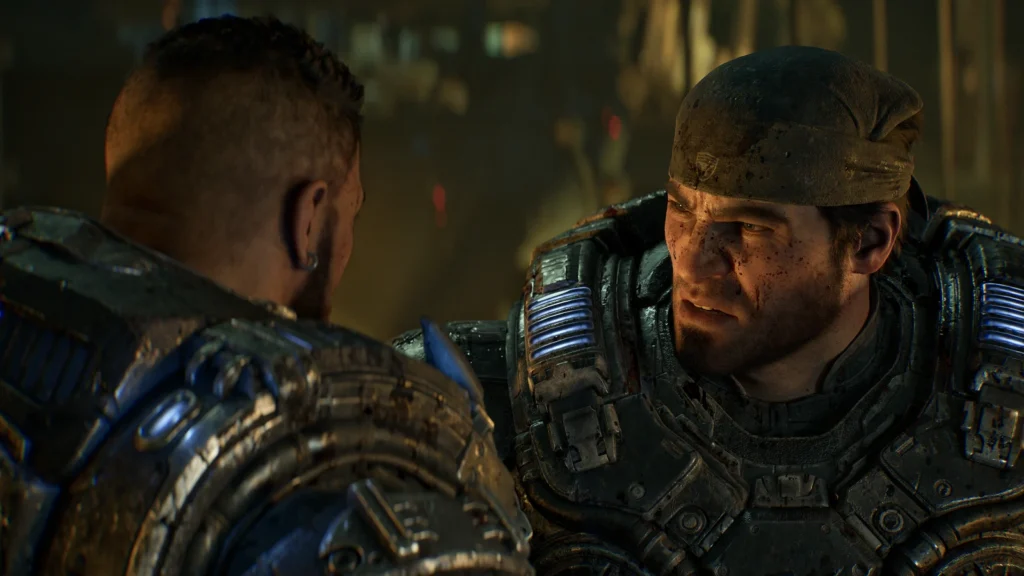
Gears of War: E-Day launches with a short but important list of confirmed PC issues, and not every problem being discussed online has the same status. The Coalition currently confirms a memory-related problem during very long uninterrupted sessions, a benchmark overlay limitation when Frame Generation is enabled, and a case where the game process can remain active after you close it. Several other launch problems were already addressed in the October 5 update.
The useful approach is to separate confirmed current issues, issues already fixed by the latest patch, and community-reported symptoms that do not yet have an official diagnosis. This guide does that without treating every popular workaround as a verified fix.
Gears of War: E-Day current known issues
| Issue | Current status | What to do |
|---|---|---|
| Memory problems during a very long uninterrupted play session | Confirmed by The Coalition | If an encounter or objective becomes blocked, The Coalition recommends reloading a checkpoint. Periodic checkpoint reloads or restarts are the only official mitigation currently documented. |
| Benchmark FPS does not include generated frames | Confirmed display limitation | Do not read the overlay value as total displayed FPS when Frame Generation is enabled. The benchmark can report a lower number because generated frames are excluded. |
| Game process keeps running after you close E-Day | Confirmed | Check Task Manager and end the remaining game process if it does not exit normally. |
| Campaign joiner receives progress and rewards earned before joining | Fixed in the October 5 patch | Install the latest update. Do not rely on the older September 30 known-issues list for this item. |
| PC offline play around worldwide launch | Launch-boundary status awaiting first-party confirmation | The Coalition’s known-issues page still says offline play is unavailable until October 6. Worldwide launch has now passed, but that page has not yet been revised, so the date alone is not enough to mark the issue resolved. |
| General crashes reported by players | Community-reported, partly overlapping with the confirmed long-session memory issue | Install the current game and GPU-driver updates first. Avoid assuming that every crash has the same cause or that an unofficial config edit is a universal fix. |
The confirmed long-session memory issue
The Coalition’s launch-known-issues list says playing through the entire game without reloading checkpoints or restarting can cause memory problems. Its explicit workaround is to reload a checkpoint if you become blocked at an encounter or objective.
That wording matters. The studio has confirmed a memory-related issue during long uninterrupted sessions, but it has not published a universal diagnosis for every desktop crash, black screen, driver reset, or forced restart being reported by PC players.
Community reports do show a recurring pattern of crashes after roughly an hour or two of play on different hardware. That is useful supporting context, but it should remain anecdotal until The Coalition expands the official issue description. A Reddit thread can show that multiple players are seeing similar symptoms; it cannot establish that all of those crashes share one root cause.
Why the benchmark FPS can look wrong with Frame Generation
The built-in Benchmark mode has a confirmed reporting limitation: its Performance Overlay does not count generated frames. If you enable Frame Generation, the FPS number shown by the overlay can therefore be lower than the total number of frames actually presented.
This is not the same thing as the game losing performance. It is a measurement issue in the overlay. If you are comparing settings or hardware, make sure you know whether Frame Generation is active before comparing that overlay number with an external benchmark or another player’s result.
TechSpot’s launch-day test across 44 GPUs found the built-in benchmark useful for repeatable GPU comparisons. That makes the tool valuable, but the official generated-frame caveat still applies when interpreting its FPS display.
What the October 5 patch already fixed
An update released October 5, one day before worldwide launch, addressed several problems that can still appear in older guides or discussion threads.
- Various stability, performance, hardware compatibility, and reporting improvements were applied.
- An issue that could leave Versus Social matches stuck on Waiting for players was addressed.
- Xbox authentication handling was improved when a PC’s system clock differs significantly from the correct time.
- The Bilefrog-Kalona error that could sign out a split-screen player after suspend and resume was addressed.
- Online-session stability when accessing session information was improved.
- The campaign issue where a new player could receive War Journal progress and Forge rewards earned before joining was addressed.
- A campaign issue that could leave players attached to turrets when a cinematic or gameplay moment began was addressed.
If you are troubleshooting any of those symptoms, confirm that the October 5 update is installed before attempting more invasive fixes.
Advanced Shader Delivery is useful, but it is not a crash fix
Gears of War: E-Day is the first showcase title for Microsoft’s expanded Advanced Shader Delivery rollout. ASD supplies precompiled shaders so the CPU has less compilation work to do when the game first starts.
Microsoft says first-launch shader compilation in E-Day can fall from several minutes to a few seconds, or roughly 95% less compilation time on a supported configuration. Current ASD requirements for E-Day include Windows 11 24H2 or newer, AMD RDNA 1 through RDNA 4 hardware with Adrenalin 26.6.1 or newer, and Qualcomm Snapdragon X2 Series graphics with driver 2026.08.3 or newer. Intel Arc B-Series and selected Core Ultra graphics, plus all NVIDIA RTX GPUs, are scheduled to gain ASD support later in October.
The Coalition also says PC players using another storefront may still benefit when the Xbox PC app is installed because it can provide the required shader package.
Do not treat ASD as a general remedy for crashes, memory problems, or poor GPU performance. Its documented purpose is shader delivery and first-launch/runtime shader-compilation behavior. IGZ’s Advanced Shader Delivery guide covers the broader Windows 11 hardware and storefront requirements.
Should you enable Low Core Mode?
Not as a generic performance fix.
Low Core Mode is designed for systems with a limited number of CPU cores, including some handheld or highly constrained configurations. Independent testing from Tom’s Hardware across 25 CPUs found E-Day unusually CPU-heavy for an Unreal Engine 5 game, with meaningful scaling across processors.
Tom’s Hardware measured CPU utilization reaching roughly 80 to 90% in its E-Day testing and found the Ryzen 7 9800X3D about 42% faster than the Ryzen 5 7600X at 1080p using the High preset. That same testing found Low Core Mode reduced performance on nearly all ordinary desktop CPUs tested. It became useful only in an extreme low-core configuration, where it helped streaming and stability behavior.
If you have a normal modern desktop CPU, turning Low Core Mode on just because the game is stuttering or crashing is not supported by the available benchmark evidence. Leave it as a targeted option for genuinely core-constrained hardware unless The Coalition publishes different guidance.
What launch benchmarks say about GPU and VRAM pressure
TechSpot’s October 6 launch benchmark tested 44 GPUs at 1080p, 1440p, and 4K. Its results show that 8GB VRAM is generally not a major limitation at 1080p or 1440p in the tested settings, particularly when upscaling is used. Native 4K Ultra is the important exception: the RTX 5060 Ti 16GB scored 21 FPS versus 13 FPS for the 8GB model, while the RX 9060 XT 16GB scored 20 FPS versus 16 FPS for the 8GB model.
That is important when troubleshooting. A crash on a machine with a modern GPU should not automatically be labeled a VRAM failure just because E-Day is visually demanding. At the same time, 8GB cards can become capacity-limited at native 4K Ultra. Check the official known-issue list, installed patch version, driver state, resolution and settings, and whether the crash appears after a long uninterrupted session before assuming a hardware-capacity cause.
For the official target tiers, presets, upscaling assumptions, storage requirement, and ray-tracing support, see the IGZ Gears of War: E-Day PC requirements guide.
What about driver warnings and unofficial config edits?
Some players have reported launch errors that mention outdated graphics drivers, plus community workarounds that modify Unreal Engine configuration files or clear a driver deny-list.
IGZ does not recommend those edits as a general fix at this stage. They are not part of The Coalition’s current official troubleshooting guidance, and bypassing a driver compatibility check can remove a safeguard without addressing the reason the game rejected that driver.
Current vendor launch baselines are more useful than a generic “update your driver” instruction. NVIDIA’s GeForce Game Ready 617.14 WHQL explicitly adds Game Ready support for E-Day. AMD’s Adrenalin 26.9.2 Optional driver lists E-Day under New Game Support. Intel’s 32.0.101.9034 package lists Game On support for E-Day on Arc B-Series, Arc A-Series, and Core Ultra graphics with built-in Arc GPUs. Laptop and OEM systems may still require the device manufacturer’s validated driver package.
The safer order is:
- install the latest E-Day update
- use a graphics driver supported for your hardware and current game build
- restart the game or reload a checkpoint if the long-session memory issue appears
- check Task Manager if the process remains active after exit
- distinguish the benchmark overlay’s generated-frame limitation from an actual performance loss
- report persistent crashes through official Gears/Xbox support rather than assuming an unofficial workaround is universally safe
PC offline play and the October 6 launch time
The September 30 launch-known-issues list says PC offline play is unavailable until October 6. The Coalition’s launch schedule sets worldwide release for October 6 at 15:00 UTC, and that launch time has now passed.
At the immediate post-launch recheck, The Coalition’s known-issues page still carried the same “unavailable until October 6” wording and had not published a replacement status. That is not evidence that offline play is still unavailable, but it is also not enough to mark the limitation resolved. IGZ will keep this item in a launch-boundary state until The Coalition or Xbox confirms the post-launch behavior.
Current status: what is confirmed and what still needs evidence?
As of October 6, the strongest confirmed PC troubleshooting points are narrow:
- long uninterrupted sessions can trigger a memory-related problem
- reloading a checkpoint is the studio’s documented mitigation when progression becomes blocked
- Benchmark mode undercounts displayed FPS when Frame Generation is enabled
- the E-Day process can remain active after closing and may need to be ended through Task Manager
- several multiplayer, authentication, session, and campaign problems were already addressed by the October 5 patch
- ASD can drastically reduce shader-compilation time on supported systems, but it is not a general crash fix
- Low Core Mode should not be treated as a universal desktop performance optimization
This page should be updated when The Coalition publishes another patch, expands the known-issues list, or confirms a root cause for the wider crash reports.
Sources and update status
Last verified: October 6, 2026. IGZ has not reproduced or benchmarked these issues itself. Official issue and patch status comes from The Coalition, Xbox, and Microsoft. TechSpot and Tom’s Hardware are used only for independent performance context. Community reports are treated as anecdotal signals, not confirmed diagnoses.
- The Coalition: Emergence Begins Tomorrow, including launch known issues
- The Coalition: October 05 Patch Notes
- Microsoft DirectX Developer Blog: Advanced Shader Delivery for Gears of War: E-Day
- Xbox Wire: final E-Day PC specifications and launch schedule
- TechSpot: Gears of War: E-Day GPU Benchmark, 44 GPUs Tested
- Tom’s Hardware: E-Day CPU testing and Low Core Mode investigation
- NVIDIA: GeForce Game Ready 617.14
- AMD: Adrenalin Edition 26.9.2 Optional release notes
- Intel: Graphics Driver 32.0.101.9034
- r/GearsOfWar: community PC crash discussion