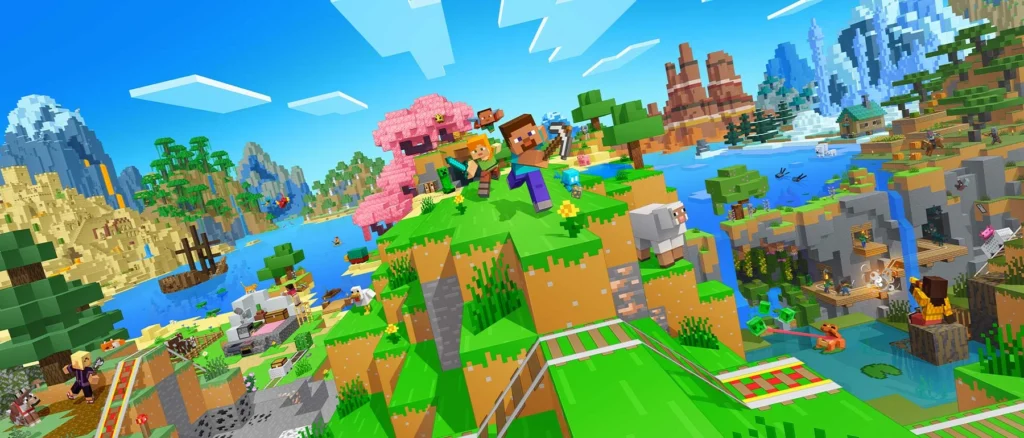
Already own digital Minecraft on Nintendo Switch? You can claim the new Minecraft Standard Edition for Nintendo Switch 2 at no additional charge in most countries through January 31, 2027. Japan and Taiwan are exceptions: qualifying digital owners pay ¥100 or NT$30. If you own a physical Switch copy, the same free entitlement has not been confirmed.
For everyone else, the decision is less about a new game and more about what you already own, which extras you want, and whether you can bring your worlds along. The US Switch 2 release is October 27, 2026, with Standard, Deluxe and Ultimate digital editions. Here is how to avoid paying for the wrong version or assuming that an old purchase includes a new one.
Who qualifies for the Minecraft Switch 2 upgrade?
Mojang’s October 7 upgrade announcement specifies people who already own a digital copy of Minecraft for the original Nintendo Switch. Eligible owners can claim Switch 2 Standard through Nintendo eShop, or choose discounted Deluxe or Ultimate editions. This is a limited-time offer, not a promise that every Minecraft cartridge, borrowed game or legacy license qualifies.
| What you own or plan to buy | What the official offer establishes | Best next decision |
|---|---|---|
| Digital Minecraft for Nintendo Switch (the current Bedrock game) | Free Switch 2 Standard in most markets, or a discounted higher edition, through January 31, 2027 | Check the Nintendo eShop offer using the account that owns your copy before paying full price |
| Original Switch Minecraft cartridge | Free upgrade entitlement not established in the published digital-owner terms | Do not assume either free eligibility or definite exclusion; check the storefront before buying |
| Only the 2017 Minecraft: Nintendo Switch Edition | Direct entitlement to the 2026 native Switch 2 edition has not been confirmed | Confirm the account’s current Minecraft digital ownership and eShop eligibility |
| Borrowed digital copy through a Nintendo family group | Family-group lending support does not establish that the borrower owns the game for upgrade purposes | Check eligibility on the purchasing account; do not treat a loan as a purchase |
| No earlier Switch digital license | No ownership-based discount established | Compare current regular edition prices and the extras you would actually use |
The January 31 date is a deadline to claim the offer. It does not guarantee the same terms in every region or specify the precise local cutoff hour. The announcement describes the benefit as an eShop pre-order path, while Nintendo’s product listings specify the January 31, 2027 deadline. Check the offer displayed for your Nintendo Account rather than assuming that a physical purchase or a different account will qualify.
Is the upgrade free in every country?
No. Nintendo says digital Switch owners can claim Switch 2 Standard free in most territories, but lists ¥100 in Japan and NT$30 in Taiwan for otherwise eligible digital owners. Those fees are local exceptions, not global prices. In particular, a $29.99 US regular list price is not what a qualified US digital owner should expect to pay for the promotional Standard offer.
The published terms also do not answer every account edge case. They do not explicitly confirm whether buying the old digital Switch version shortly before the deadline guarantees eligibility for the new offer. It would be a mistake to buy a second copy solely to exploit that possibility without first checking the actual eShop offer.
Minecraft Switch 2 Standard vs Deluxe vs Ultimate: what do you get?
All three new digital editions include the full base game and the Super Mario Mash-Up Pack with Vibrant Visuals support. The extra money buys Marketplace add-ons, avatar customization and Minecoins, Minecraft’s virtual Marketplace currency. The prices below are regular US digital list prices from Nintendo’s announcement, not personalized upgrade quotes.
| New Switch 2 edition | US regular price | Included extras beyond Standard | Minecoins included |
|---|---|---|---|
| Standard | $29.99 | Base game and Super Mario Mash-Up Pack | None listed |
| Deluxe Collection | $39.99 | Celebration Food, Rescue Dogs, Plenty O’Blocks and 3 Character Creator items | 700 |
| Ultimate Collection | $49.99 | All three Deluxe add-ons, Decocraft, Weapons + Tools and 5 Character Creator items | 1,000 |
At US regular list prices, Deluxe adds $10 to Standard and Ultimate adds another $10 to Deluxe. But existing digital owners are offered separate discounted Deluxe and Ultimate upgrade fees. Mojang has not published a single universal fee in the cited announcement, so the $10 regular-price steps should not be mistaken for the actual amount an eligible owner will owe.
Which edition should you choose? If you already own digital Minecraft and just want the native Switch 2 game, the promotional Standard Edition is the clear starting point. Deluxe is only worth the extra payment if you specifically want its three add-ons, customization items or 700 Minecoins. Ultimate makes sense if you also want Decocraft, Weapons + Tools and the larger 1,000-Minecoin bundle. None of those extras is required to play the base game.
Do not confuse old Switch Deluxe with Switch 2 Deluxe
The names sound almost identical, but the bundles are different. Nintendo’s original Switch Deluxe Collection includes 1,600 Minecoins, six maps, three skin packs, a texture pack, five Character Creator items and three emotes. The new Switch 2 Deluxe instead advertises three named add-ons, three Character Creator items and 700 Minecoins.
That difference matters if you bought the older Deluxe package. The official upgrade announcement does not establish that your older bundle automatically converts into the new Deluxe Collection, or that every previously purchased add-on transfers to the native edition. Check the contents you already own before paying for extra packs a second time.
What happens to Minecoins on October 27?
Minecoins are used to buy content in Minecraft Marketplace. A separate Mojang policy change takes effect on October 27, 2026, the same date as the US Switch 2 game launch. This change affects Nintendo Minecraft transactions, not only the new Switch 2 edition.
| Minecoin balance or purchase | What Mojang says happens |
|---|---|
| Minecoins already owned before October 27 | Move to a Legacy Wallet; remain usable across compatible platforms and do not expire |
| Minecoins purchased on Nintendo Switch or Switch 2 from October 27 onward | Can be spent within the Nintendo ecosystem, rather than across all Minecraft platforms |
| Minecoins purchased on another platform from October 27 onward | Cannot be used for Minecraft Marketplace spending on Nintendo devices |
| Newer retail Minecoin cards | Supported platforms depend on card terms; check the packaging before buying or redeeming |
In other words, your older Minecoins are not disappearing or suddenly expiring. Mojang says eligible pre-change balances stay in a Legacy Wallet and are used before newer balances. For Deluxe or Ultimate buyers, the important limitation is that the included Nintendo-platform Minecoins are not a universal cross-platform spending balance. See Mojang’s Minecoin wallet notice for the complete policy.
Can you bring your old Minecraft worlds to Switch 2?
Nintendo says existing Minecraft worlds on Switch can be carried over to the native Switch 2 edition. That is reassuring for long-running survival worlds, but it does not establish one universal, verified step-by-step migration procedure for every prior game version and account setup.
There is a particular trap for returning players. Minecraft: Nintendo Switch Edition, released in 2017, is not the same product listing as the 2018 Minecraft Bedrock release. Nintendo’s older documentation explains a historical path for converting 2017 worlds into the later Switch Minecraft version. The 2017 edition listing also explicitly states that it does not support Save Data Cloud, whereas Nintendo lists cloud saves for the later Minecraft product. A cloud-save button appearing for one product is therefore not proof that all legacy worlds will transfer automatically.
If your most important asset is a long-running world, preserve your existing game and saved data, confirm the correct edition and Nintendo Account, and follow the final official transfer instructions when available. Do not delete the old game or buy a Realms subscription simply because someone presents it as a required migration step. The official product announcement does not establish that Realms is mandatory for the native Switch 2 transfer.
Will the original Switch version still work on Switch 2?
Nintendo’s original Switch Minecraft product page lists backward compatibility with Switch 2. That means the native paid or promotional edition is not necessarily required just to start the version you already own on newer hardware.
The practical distinction is between running your old Switch game through compatibility and claiming the separately released native Switch 2 edition, which adds the Switch 2-specific visual presentation. This is also why physical-cartridge owners should not assume they must buy the native version merely to keep playing. Nintendo’s backward-compatibility status and the native-upgrade promotion are separate questions.
Does Switch 2 Minecraft have better graphics and multiplayer?
Mojang describes Vibrant Visuals as the default graphics presentation for the native Switch 2 version, with enhanced lighting and shadows. The Super Mario Mash-Up Pack receives related visual support. But the feature is not available during split-screen or with some Marketplace worlds and content. It would be misleading to promise those effects in every mode.
Official Nintendo product details list 1–4 players on one system, 2–8 over local wireless and 2–8 online. Cross-platform play requires a Microsoft Account, while Nintendo Switch Online is required for Nintendo online multiplayer. A separate Nintendo Account is used for eShop ownership and Nintendo online services. Those account and subscription rules matter more to families than guessing an unverified frame rate.
Nintendo also lists an estimated 1.2 GB download size and Save Data Cloud support for the native version. The size is provisional and can change by launch or through later updates. Mojang’s announcements are not evidence of measured final frame rates, resolution, battery life or loading speed, so none of those figures should be promised yet.
When does Minecraft Switch 2 launch in your region?
There is no single launch date that applies cleanly to every storefront. The confirmed dates below refer to each stated territory and format, rather than a worldwide midnight release:
| Territory | Official release timing |
|---|---|
| United States | October 27, 2026 |
| Japan | October 28, 2026 |
| Taiwan | October 28, 2026 |
| Australia | Physical October 27; digital October 28, 2026 |
Nintendo’s Australian announcement explicitly distinguishes physical and digital dates. A physical Switch 2 version is announced, but the exact card format should be checked against the packaging for your market. A region-specific Game-Key Card label does not establish the format of every retail copy worldwide.
What should you do before buying?
If you own the current digital Switch game: Check the free or low-fee Standard offer with your purchasing account before paying the full regular price. Decide separately whether Deluxe or Ultimate’s specific extras justify its actual displayed upgrade fee.
If you own a cartridge: Keep playing the backward-compatible Switch version if that meets your needs. Check the published eShop terms for the native version rather than assuming your cartridge earns the free promotional offer.
If you are returning from the 2017 edition: Treat both license eligibility and world transfer as distinct questions. First confirm whether your account owns the later digital Minecraft version, and preserve your original saves.
If you are a new buyer: Standard is the lowest-priced complete game at the stated US list price. Choose a more expensive collection only when its named packs and Minecoins are worth the difference to you. If you usually play Minecraft on another platform, read the new Minecoin spending restrictions before choosing a package primarily for its currency.
The shortest safe buying rule is simple: check what your Nintendo Account already owns, claim any qualifying Standard upgrade before January 31, 2027, and pay extra only for content you know you want. Physical ownership, borrowed licenses and very old 2017 purchases remain cases to check individually rather than guess.
Comparing other Nintendo Switch 2 upgrade rules? Our Switch 2 Upgrade & Compatibility Checker covers 18 Nintendo-published examples. It does not determine Minecraft offer eligibility, so check the account and edition conditions above for this game.