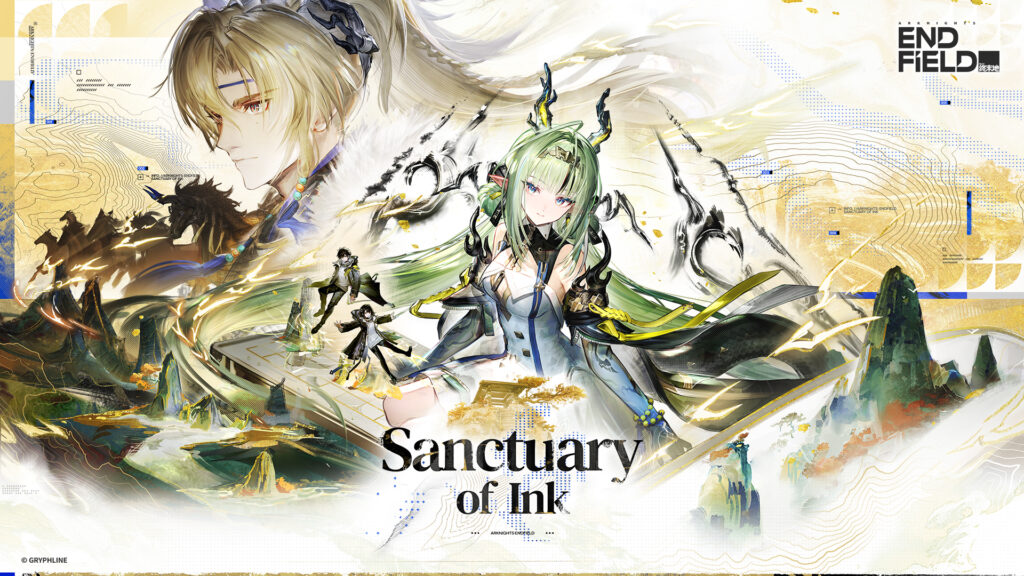
Arknights: Endfield is coming to Steam on October 15, 2026, according to publisher GRYPHLINE. If you already play on PC, mobile or PlayStation 5, you do not need to start over. The Steam version uses the game’s existing accounts and servers, so your progress can carry over when you link the right GRYPHLINE account and select your existing server.
The important decision happens when you sign in for the first time. If you already have a character, choose the existing-account linking option rather than registering a new account. Players who sign in through Google, Apple, Facebook or PlayStation may need to link an email to their existing GRYPHLINE account first. GRYPHLINE’s Steam account FAQ explains both paths.
Steam launch date: October 14 or October 15?
GRYPHLINE announced October 15, 2026 for the Steam release, which coincides with the Sanctuary of Ink update. The Steam store page currently displays October 14 in some storefront views. The different dates may reflect timezone presentation, but GRYPHLINE has not provided an exact global Steam unlock hour in the first-party sources reviewed. This is not evidence of two separate releases. Treat the publisher’s October 15 announcement as the global launch date and use Steam’s local release display when checking availability in your region. An exact unlock hour has not been confirmed in the official launch notice reviewed here.
This is a Steam client launch, not the first release of Arknights: Endfield. The game has already been available through other platforms since January 2026.
Which Steam sign-in option should you choose?
The right choice depends on whether you already have a GRYPHLINE account with game progress.
- Existing character on PC, mobile or PS5: Choose Log Into Existing Account & Link (the wording may appear as Log In and Link an Existing Account), then use the GRYPHLINE account that holds your character.
- New player with no existing account: Choose Register & Link, following the game’s prompts to create a GRYPHLINE account connected to Steam.
- Existing player who normally signs in through Google, Apple, Facebook or PSN: Check whether that same GRYPHLINE account has a linked email before launching the Steam client. If not, add one through the GRYPHLINE Account Center using your existing third-party login, rather than creating a separate GRYPHLINE account.
These options come from the publisher’s Steam FAQ. Check the identity and server before completing account linking. The reviewed FAQ does not establish a general self-service Steam unlink or account-switching procedure, so do not assume that an incorrect link can be reversed without support. The publisher separately documents unlinking certain third-party accounts in its Account Center. That general help page does not explicitly establish the Steam-specific recovery process.
How to carry your existing progress to Steam
- Before launching Steam, identify the GRYPHLINE account currently associated with your character. To check its linked email in the game, open Settings > Platform & Account > User Center, as described in GRYPHLINE’s account help. If you use a third-party login, verify you are checking the account that actually holds your progress.
- When Arknights: Endfield becomes available on Steam, install it from its official Steam page.
- On the first Steam login screen, choose Log Into Existing Account & Link, not Register & Link.
- Sign in with the existing GRYPHLINE account and complete the on-screen linking steps.
- Select the same server group your original character uses, either Asia or Americas / Europe.
- Confirm your existing character and progress appear before making any new purchases.
This is account-based synchronization, not a manual save-file copy. GRYPHLINE says Steam shares the live servers and account data with its other supported platforms. It does not merge separate server regions. If your character is on Americas / Europe, choosing Asia will not show that region’s progress. Source: GRYPHLINE Steam FAQ.
What if you originally played on PS5?
The same general rule applies: use the GRYPHLINE account connected to the PSN account that holds your character. If it has no linked email, GRYPHLINE’s PSN linking instructions direct existing PSN players to Settings > Platform & Account > User Center > Link Email, using an email address not already registered to another GRYPHLINE account.
The publisher warns that creating a new account instead of linking an existing one can block the intended PSN-to-GRYPHLINE association in specific first-login scenarios. Do not interpret that PSN warning as a published rule about Steam unlinking. They are different workflows.
A PSN account with existing progress cannot be merged into a different, already-registered GRYPHLINE account simply by entering that account’s email. GRYPHLINE says a PSN account that has already logged in is associated with its own GRYPHLINE account, and the email-linking field then accepts only an email not already registered to another GRYPHLINE account. Check which account owns your character before linking Steam, and use support if you have conflicting existing accounts. Source: GRYPHLINE PSN account-linking conditions.
PS5 server selection is different from PC. GRYPHLINE automatically assigns the PS5 server based on the PSN account’s region. The publisher says PS5 players cannot manually switch servers. For example, a North American PSN account is assigned to Americas / Europe, while a Hong Kong PSN account is assigned to Asia. When you sign in on Steam, select the server that actually holds that PS5 character, rather than assuming it matches your current physical location.
Do your characters and purchases carry over?
Existing game progress: Yes, when the same GRYPHLINE account and server are used. GRYPHLINE explicitly confirms Steam and other platforms share account data.
Items bought through Steam: The publisher says the Steam client offers the same in-game purchasable items as other PC clients and uses Steam’s checkout options. It also says purchased items can be viewed and used from other supported platforms when you sign in with the same GRYPHLINE account. This does not establish a blanket rule for every third-party payment, refund or platform-store balance. Source: Steam FAQ.
If an earlier purchase seems missing on Steam: GRYPHLINE’s payment recovery instructions distinguish payment activation from shared in-game inventory. For PlayStation Store purchases, verify the correct linked PSN account and open the game through PlayStation to activate the order. For Epic Games Store purchases, use the Epic account and launch through Epic. For Google Play or iOS purchases, return to the device used to pay and select the purchased item to activate the order. Do not immediately repurchase the item on Steam. Once correctly activated, the shared-account rules apply to supported in-game items. These are the publisher’s general purchase-recovery instructions, not a guarantee for every purchase type.
Earlier Steam Pioneer Test: GRYPHLINE explicitly described the September test as no-wipe. Qualifying participants retain their test progress and purchases. Its test access codes were for that limited-access test, not instructions that all players need a code for the public free-to-play Steam release.
What changes when using the Steam client?
The game world, your supported account data and regional servers remain the same. The differences to consider are the client and payment workflow.
- Downloads and updates: GRYPHLINE says the Steam edition is downloaded and updated through Steam, not the GRYPHLINK launcher. Keep the launchers separate when troubleshooting patches.
- Purchases: Steam presents its own available payment methods for in-game purchases.
- PC hardware: The Steam listing specifies a minimum Intel Core i5-9400F, GTX 1060, 16 GB RAM, Windows 10 64-bit, and 60 GB available storage. Its recommended CPU and GPU are an i7-10700K and RTX 2060, with the same 16 GB RAM and 60 GB storage entry.
- Installation space: GRYPHLINE’s separate PC installation guidance asks for at least 50 GB and another 40 GB for file extraction. That is not the same wording as Steam’s 60 GB requirement. Allow extra free space for installation and updates, but do not claim the Steam install specifically requires a fixed 90 GB without newer Steam-specific evidence.
- Existing files: The official FAQ does not confirm a supported method of pointing Steam at an existing GRYPHLINK installation to avoid another download. Do not assume copying game files will be recognized or supported.
Steam lists partial controller support. Its Steam Deck compatibility state is Unknown, not Verified. Neither entry is a guarantee of working gameplay on every handheld or Linux configuration.
Does the Steam version use kernel-level anti-cheat?
Yes. The Steam product page explicitly lists Anti-Cheat Expert (ACE) as kernel-level anti-cheat. Its notice also says ACE requires manual removal after the game is uninstalled. Players deciding whether to install the Steam version should read that disclosure before proceeding.
The storefront notice does not, by itself, prove that ACE causes a particular performance issue, explain exactly which drivers or services remain installed on every device, or establish a safe one-size-fits-all removal command. For installation or removal problems, follow current GRYPHLINE support instructions rather than deleting Windows drivers by guesswork.
Before October 15: claim the separate version-preview reward
Existing players have another time-limited claim to consider before the Sanctuary of Ink update maintenance. GRYPHLINE’s official New Version Guide notice says the Sanctuary of Ink preview page offers 1,000 Oroberyl, 10,000 T-Creds, eight Elementary Cognitive Carriers and four Arms INSP Sets.
To qualify, sign into the guide with your game account and have a character created. Use Claim Rewards on the guide while the button is available. GRYPHLINE says each account can claim once and the items arrive in the linked character’s in-game mail. The claim window ends when the version update and maintenance begins, rather than at the later November 25 Steam-code deadline. The official notice reviewed here does not provide a specific October maintenance start hour.
This preview-page reward is separate from the ENDFIELDSTEAM redemption code below. You do not need to move your existing progress to Steam to claim a reward offered through the linked game account.
Is there a Steam launch reward code?
Yes. In its October 7 Steam launch notice, GRYPHLINE published ENDFIELDSTEAM for 8,000 T-Creds, two Elementary Cognitive Carriers, two Arms INSP Sets and a commemorative portrait frame. The published redemption end times are November 25, 2026 at 23:59 (UTC+8) for Asia and November 25 at 10:59 (UTC-5) for Americas / Europe.
To enter a code, GRYPHLINE’s official redemption instructions point to Protocol Synchronizer > Settings > Platform & Account > Exchange Code. This is a general in-game code workflow, not a Steam product activation key. Don’t confuse ENDFIELDSTEAM with the one-use Steam keys issued to selected players for the earlier limited-access Pioneer Test.
What if your character is missing after linking Steam?
Work through the least destructive checks first.
- Check the server selection. Progress is separate between Asia and Americas / Europe. An apparently empty account can simply be displaying the other region.
- Check which GRYPHLINE account Steam is linked to. Make sure it is the same account you used for the existing character, not a new account created accidentally on Steam.
- Check your original sign-in method. For Google, Apple, Facebook or PSN users, confirm the email you entered on Steam is linked to the original account rather than another account with a similar email address.
- Stop before creating additional accounts or attempting undocumented unlink steps. The reviewed official Steam FAQ gives first-link instructions but does not specify a general account recovery/unlink tool.
- If the problem is a missing purchased item rather than a missing character, use the original storefront’s activation route. PlayStation, Epic and mobile payments have different recovery steps in the publisher’s payment FAQ. Avoid buying it again just to test the link.
- Contact GRYPHLINE support. In the game, use Settings > Platform & Account > Contact Customer Support, or email endfield_cs@gryphline.com. The publisher recommends including your UID, server, device details, problem description and relevant screenshots. Official FAQ.
Should existing players switch to Steam?
Steam is a reasonable alternative if you prefer managing the game and updates through your Steam library. You can keep your existing Endfield progress if you link the right GRYPHLINE account and select its original server. Steam does not, however, remove the requirement for a GRYPHLINE account, and its store discloses kernel-level ACE anti-cheat. Players satisfied with the existing client have no progress-related need to switch just because the Steam version arrives.
Before you switch, check your existing account email and server. Those two details matter more than which client you use.