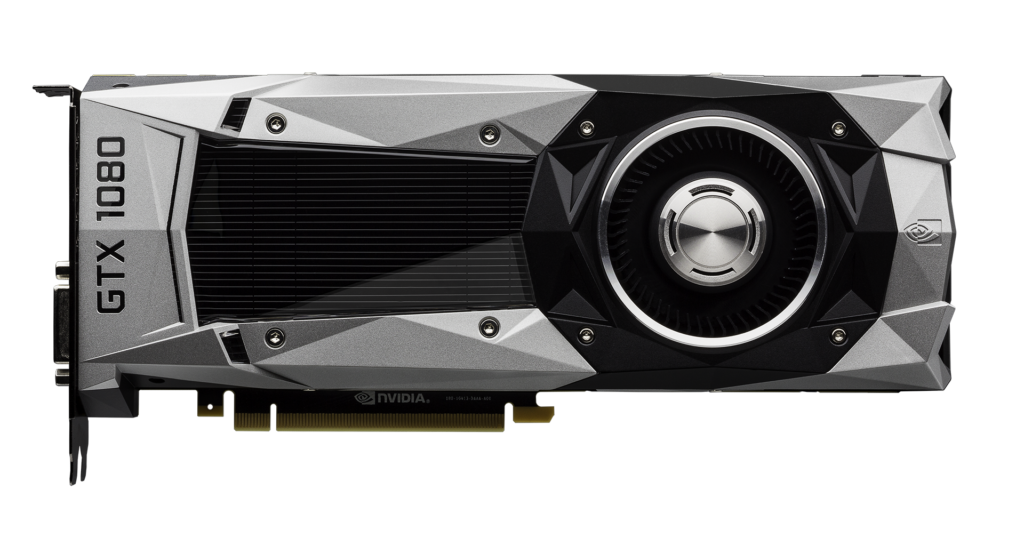
If you still game on a GeForce GTX 10-series, GTX 900-series or one of the Maxwell-based GTX 700-series cards that NVIDIA still lists, driver 582.78 is not a normal Game Ready update. It is a security-maintenance release for older Maxwell, Pascal and Volta GeForce GPUs that no longer receive regular Game Ready features or game optimizations.
For most supported desktop users, the practical answer is simple: yes, update. But there are two important exceptions. Not every GTX 700-series card is supported, and notebook owners should check their laptop manufacturer’s driver guidance before forcing the generic NVIDIA package.
What is NVIDIA driver 582.78?
NVIDIA’s GeForce Security Update Driver 582.78 was released on September 30, 2026 for Windows 10 64-bit and Windows 11. NVIDIA describes it as a software security update for Maxwell, Pascal and Volta GeForce GPUs that are no longer supported by Game Ready Drivers.
The package is WHQL-certified and is approximately 912.74 MB. Its purpose is security maintenance. NVIDIA does not present 582.78 as a new gaming-performance branch with launch optimizations, new features or the normal Game Ready bug-fix cadence.
Which desktop GeForce cards support 582.78?
| Family | Supported desktop models NVIDIA lists |
|---|---|
| GeForce 10 Series | GTX 1080 Ti, GTX 1080, GTX 1070 Ti, GTX 1070, GTX 1060, GTX 1050 Ti, GTX 1050, GT 1030, GT 1010 |
| GeForce 900 Series | GTX 980 Ti, GTX 980, GTX 970, GTX 960, GTX 950 |
| GeForce 700 Series | GTX 750 Ti, GTX 750, GTX 745 |
| TITAN | TITAN V, TITAN Xp, TITAN X (Pascal), GeForce GTX TITAN X |
The full architecture list is also documented in NVIDIA’s Maxwell, Pascal and Volta GeForce GPU list.
The GTX 700-series wording needs an important warning
Do not read “GTX 700 Series” as meaning every GTX 700 desktop card can use this security driver.
For desktop GeForce 700 cards, NVIDIA’s 582.78 page specifically lists only the GTX 745, GTX 750 and GTX 750 Ti. Those are Maxwell-based products.
Older Kepler-based cards such as the GTX 760, GTX 770 and GTX 780 are not in NVIDIA’s 582.78 supported-product list. Installing a driver based only on the marketing family name is therefore the wrong way to make the decision. Check the exact GPU model first.
Should GTX 10-series and GTX 900-series gamers update?
For a supported desktop GPU running Windows 10 or Windows 11, IGZ’s recommendation is to move to the current security-maintenance release unless you have a documented system-specific reason not to.
The reason is security rather than frame rate. NVIDIA’s September 2026 GPU Display Driver security bulletin tells users to install the latest driver versions referenced in its security-update tables. For the Windows R580 GeForce branch, the bulletin lists 582.78 as the updated version.
That does not mean every vulnerability listed in the September bulletin affects every old GeForce card. The bulletin spans multiple products, operating systems, driver branches and vGPU components, and individual CVEs have their own applicability. The safe takeaway is narrower: NVIDIA says the R580 GeForce branch should be updated to 582.78 for the security fixes applicable to that branch.
Is 582.78 a performance or Game Ready driver?
No. NVIDIA moved Maxwell, Pascal and Volta GeForce GPUs out of normal Game Ready support in October 2025.
Its support plan says these architectures receive only updates for critical security items from October 2025 through October 2028. Regular Game Ready updates, including performance enhancements, new features and game-focused bug fixes, continue for newer architectures.
So if you install 582.78, do not expect it to behave like a new launch driver for a current game. Its value is keeping an older GPU on NVIDIA’s supported security-maintenance path.
What about gaming laptops?
NVIDIA also lists many older notebook GPUs in the Maxwell and Pascal families, but laptop users have an extra decision to make.
NVIDIA’s own notebook driver guidance has historically advised users to check the original equipment manufacturer’s certified driver because laptop vendors can customize power, display-switching and platform behavior. That matters even more for an older system that may rely on OEM-specific software.
The September security bulletin also notes that computer hardware vendors may provide Windows GPU driver versions that already contain the security updates. NVIDIA gives examples including vendor builds such as 582.67.
That means a notebook owner should not assume “my version number is lower than 582.78, therefore I must force-install the generic package.” Check the laptop maker’s support page first, then compare that guidance with NVIDIA’s current security bulletin.
NVIDIA App users on old GPUs have a separate legacy build
NVIDIA maintains a dedicated support page for the NVIDIA App on Maxwell, Pascal and Volta architectures. It directs owners of those GPUs to a specific compatible NVIDIA App build.
This is worth checking if the driver installs correctly but the current NVIDIA App itself no longer behaves as expected on an older card. Driver support and companion-app support are related, but they are not the same thing.
Does Windows 10 support continue longer than GPU support?
Yes, but the two timelines describe different things.
NVIDIA’s Windows 10 support plan says normal Game Ready and Studio support for Windows 10 ends after October 2026, followed by quarterly security updates through October 2029.
Maxwell, Pascal and Volta have their own architecture-specific support plan ending in October 2028. Owners of those GPUs should therefore use the shorter architecture-specific horizon rather than assuming the general Windows 10 timeline automatically extends their GPU’s support by another year. For the broader OS transition, see our Windows 10 Game Ready support guide.
What if you use Linux?
Driver number 582.78 is the Windows R580 security-update version discussed here. NVIDIA’s September bulletin lists separate Linux update versions for its Linux branches.
Linux users should therefore follow the branch and package instructions for their distribution and NVIDIA’s Linux security-update table rather than downloading the Windows 582.78 package or treating that number as a universal cross-platform driver version.
Who should not install 582.78 blindly?
| Your situation | Best next step |
|---|---|
| Supported GTX 10 / GTX 900 / listed Maxwell GTX 700 desktop card | Use NVIDIA’s current security driver unless a known system-specific issue applies. |
| GTX 760 / 770 / 780 or another Kepler model | Do not assume 582.78 support from the “700 Series” name. Verify your exact GPU and legacy support status. |
| Older gaming notebook | Check the notebook OEM’s certified driver guidance before forcing the generic package. |
| OEM driver already identified as containing the September security fixes | Follow the vendor/NVIDIA bulletin guidance rather than comparing version numbers alone. |
| Linux | Use the Linux branch/version listed in NVIDIA’s security bulletin, not the Windows 582.78 package. |
What IGZ will recheck
This is now a recurring maintenance story rather than a one-time driver launch. IGZ will recheck the legacy branch when NVIDIA publishes another Maxwell/Pascal/Volta security update, changes the October 2028 support horizon, revises the supported-GPU list, or changes the compatible NVIDIA App path.
The important distinction to preserve is simple: older GeForce cards have not returned to full Game Ready support. They are on a security-maintenance track, and the correct update depends on the exact architecture, operating system and, for notebooks, OEM guidance.
Sources
- NVIDIA: GeForce Security Update Driver 582.78
- NVIDIA: GPU Display Driver Security Bulletin, September 2026
- NVIDIA: Maxwell, Pascal and Volta GeForce Support Plan
- NVIDIA: List of Maxwell, Pascal and Volta GeForce GPUs
- NVIDIA: NVIDIA App support for Maxwell, Pascal and Volta
- NVIDIA: GeForce Support Plan for Windows 10