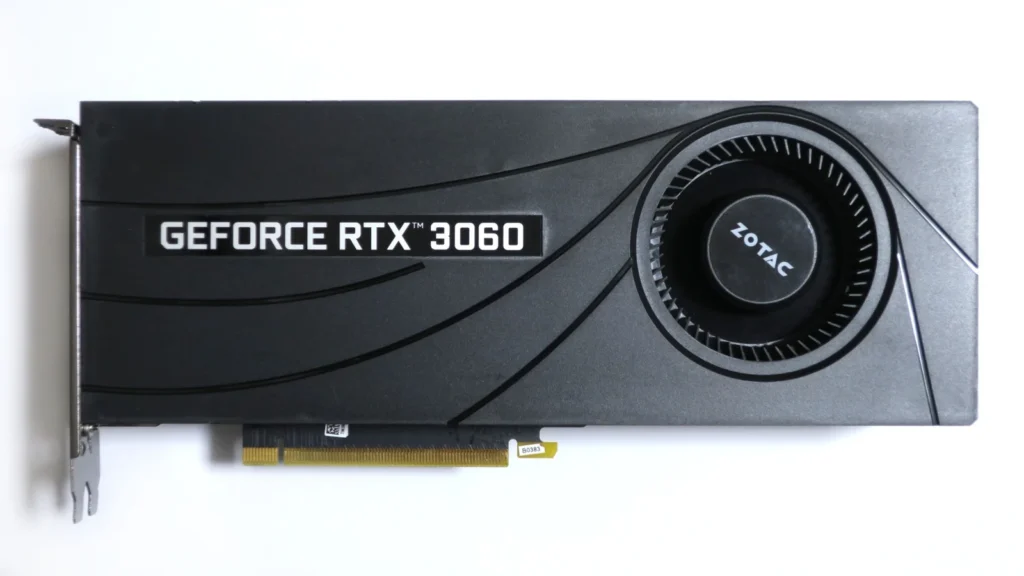

If your RTX 3060 12GB still gives you the frame rate you want, you do not need to replace it just because newer GPUs exist.
The case for upgrading becomes stronger when you are moving to 1440p, chasing a higher refresh rate, using heavier ray tracing, or regularly lowering settings to stay above your target frame rate. The problem in September 2026 is that GPU prices are distorted enough that the obvious product name is not always the sensible purchase.
Valve’s September 2026 Windows Hardware Survey lists the desktop RTX 3060 at 3.66%. It is no longer the most common individually listed GPU in the survey, but it remains a substantial part of the surveyed Windows installed base. September also shows unusually large simultaneous shifts across several survey categories, so the latest percentage is useful context rather than a clean measure of sales or direct upgrade behavior. This is not a dead card waiting for replacement. Its owners still need a clear threshold for when an upgrade is actually worth paying for.
For the survey scope and six-month Windows trend through September, including why the latest survey needs extra caution, see our Steam Hardware Survey 2026 analysis.
Short answer: when should you upgrade an RTX 3060?
Keep the RTX 3060 if it already meets your target, especially for 1080p gaming.
If you want a meaningful upgrade, aim for roughly 50% or more native-raster performance improvement rather than moving to a card that is only one product generation newer. A jump closer to 2x changes the experience much more clearly.
Based on Tom’s Hardware’s current 1440p raster hierarchy and US street prices tracked by PC Gamer on September 17, 2026, the market looks like this:
| GPU | 1440p result in Tom’s suite | Approx. uplift vs RTX 3060 | VRAM | Lowest tracked US price | Current read |
|---|---|---|---|---|---|
| RTX 3060 12GB | 41.9 FPS | baseline | 12GB | already owned | Keep if it meets your target |
| RX 9060 XT 16GB | 67.3 FPS | +61% | 16GB | $470 | Real upgrade, but not a huge leap |
| RTX 5060 Ti 16GB | 73.4 FPS | +75% | 16GB | $780 | Meaningful hardware, poor current value |
| RX 9070 GRE | 86.6 FPS | +107% | 12GB | $500 | Strong current raster-value jump |
| RTX 5070 | 96.4 FPS | +130% | 12GB | $779 | Large upgrade, expensive right now |
| RX 9070 | 104.0 FPS | +148% | 16GB | $650 | Stronger raster option at current pricing |
These are independent suite-level results from Tom’s Hardware, not Instant Game Zone benchmarks, and individual games can behave very differently. PC Gamer’s prices are the lowest listings it found, not market averages, so treat them as a dated snapshot rather than permanent prices.
Sources:
- Steam Hardware Survey: Steam Hardware Survey
- Tom’s Hardware GPU hierarchy: Tom’s Hardware GPU hierarchy
- PC Gamer price tracker: PC Gamer GPU price tracker
What counts as a real upgrade from an RTX 3060?
The model number alone is not enough.
A useful upgrade should change at least one thing you actually care about: resolution, frame-rate target, image quality, ray tracing, noise/power behavior, or how long you can keep the system before the next GPU purchase.
For an RTX 3060 owner, four checks matter.
First, the performance increase should be large enough to notice. A 10% or 20% gain rarely justifies replacing a working GPU. Around 50% is a better lower bound for a paid upgrade, while a 2x-class jump is much easier to feel at 1440p.
Second, do not ignore memory capacity. The RTX 3060 12GB already gives you more VRAM than several newer mainstream cards. Moving to 8GB may improve GPU compute performance while making memory-heavy games less comfortable.
Third, include the rest of the PC. A faster GPU can mean a larger PSU, different power cable, more case clearance, or a CPU limit at high frame rates.
Fourth, compare today’s price, not the launch MSRP. That matters more than usual in the current market.
Keep the RTX 3060 if your current games already run well
The cheapest upgrade is the one you do not need.
If you play at 1080p and your RTX 3060 already stays near your monitor’s refresh-rate target at settings you are happy with, replacing it can be a poor use of money. A faster card will raise benchmark numbers, but those extra frames have less value when the current experience already feels good.
The same applies if the real problem is elsewhere. A GPU swap will not fix network latency, shader-compilation stutter, a CPU-limited esports game, insufficient system RAM, or a slow storage problem.
Before buying, write down three things:
- the games where the RTX 3060 is actually failing you
- the resolution and refresh rate you want to use
- the frame-rate or visual-quality target you cannot reach today
If you cannot name the problem the new GPU needs to solve, waiting is a valid decision.
RX 9060 XT 16GB is a meaningful lower-cost jump
The RX 9060 XT 16GB clears the basic “real upgrade” threshold.
In Tom’s 1440p raster suite, it scored 67.3 FPS against 41.9 FPS for the RTX 3060, an uplift of about 61%. It also moves from 12GB to 16GB instead of reducing memory capacity.
AMD rates the 16GB card at 160W typical board power and recommends a 450W minimum PSU, so it fits comfortably into many systems that already ran an RTX 3060.
Official specification: AMD Radeon RX 9060 XT specifications
At about $470 in PC Gamer’s September 17 price snapshot, though, it is no longer an automatic value pick. The current RX 9070 GRE price is only about $30 higher in the same tracker while offering a much larger performance jump.
That makes the RX 9060 XT 16GB more attractive when power draw, case compatibility, 16GB of VRAM, or a lower local price matters more than maximizing performance per dollar.
RTX 5060 Ti 16GB is hard to justify at current pricing
The RTX 5060 Ti 16GB is not a bad upgrade in isolation.
Tom’s current hierarchy puts it roughly 75% ahead of the RTX 3060 at 1440p. Nvidia lists 180W total graphics power and a 600W required system power rating. You also get the newer Blackwell feature set and 16GB of GDDR7 memory.
Official specification: NVIDIA GeForce RTX 5060 family specifications
The issue is price.
PC Gamer’s September 17 US tracker listed the cheapest RTX 5060 Ti 16GB it found at about $780. That was essentially the same price as the cheapest RTX 5070 it found, even though the RTX 5070 is substantially faster.
At that price, the 5060 Ti 16GB stops making sense for an RTX 3060 owner. The hardware can be a good upgrade if its street price falls sharply, but the current market price is the deciding problem.
RX 9070 GRE is the most interesting current step-up around $500
The RX 9070 GRE changes the equation because it crosses the 2x neighborhood in current raster testing without carrying an RTX 5070-level street price.
Tom’s current hierarchy shows 86.6 FPS at 1440p versus 41.9 FPS for the RTX 3060, about a 107% uplift. AMD lists 12GB of VRAM, 220W typical board power, and a 650W minimum PSU recommendation.
Official specification: AMD Radeon RX 9070 GRE specifications
PC Gamer tracked a lowest US price of about $500 on September 17.
There are tradeoffs. TechSpot’s 15-game review found the RX 9070 GRE about 5% behind the RTX 5070 at 1440p on average, with a larger disadvantage in its ray-tracing suite. It also stays at 12GB rather than moving to 16GB.
Independent review: TechSpot RX 9070 GRE review
If your priority is native/raster gaming and you find a real RX 9070 GRE near $500, it is currently one of the clearest performance-per-dollar jumps from an RTX 3060. If ray tracing, DLSS, CUDA, or Nvidia-specific software matters more, the comparison changes.
RTX 5070 is a transformative upgrade with a pricing problem
The RTX 5070 is the kind of performance increase that clearly justifies the word “upgrade.”
Tom’s 1440p hierarchy puts it at 96.4 FPS versus 41.9 FPS for the RTX 3060, around 130% higher in that suite. Nvidia lists 12GB GDDR7, 250W total graphics power, and a 650W required system power rating.
Official specification: NVIDIA GeForce RTX 5070 specifications
It also preserves the RTX 3060’s 12GB memory capacity and adds Nvidia’s newer DLSS 4 feature set.
The difficult part is paying about $779 for it when Nvidia launched the RTX 5070 at $549. At the current street price, you are paying a very large premium for the Nvidia feature ecosystem.
If the RTX 5070 falls much closer to its launch price, the recommendation becomes easier. Near $780, compare it carefully with RX 9070-class cards before buying.
RX 9070 deserves a look before you pay current RTX 5070 prices
The standard RX 9070 is important because current pricing places it between the RX 9070 GRE and RTX 5070 while its raster performance is higher than both in Tom’s current hierarchy.
Tom’s 1440p result is 104.0 FPS, about 148% above the RTX 3060’s 41.9 FPS result.
PC Gamer’s September 17 tracker listed the RX 9070 at about $650, roughly $129 below the RTX 5070 snapshot.
That does not automatically make it better for every buyer. Nvidia still has advantages in some ray-tracing workloads, DLSS support, CUDA, and creator/compute software. But if this is primarily a gaming upgrade and you do not need Nvidia-specific features, the RX 9070 should be compared before paying the current RTX 5070 premium.
Think carefully before dropping from 12GB to 8GB
The RTX 3060’s 12GB memory capacity aged better than its raw performance.
That creates an unusual upgrade trap: some newer GPUs are faster but give you only 8GB.
If the RTX 5060 is the card you are considering, our RTX 3060 vs RTX 5060 comparison looks directly at the performance gain, 8GB-versus-12GB tradeoff, resolution, and feature differences.
TechSpot’s RTX 5060 Ti 8GB vs 16GB testing shows why this matters. In several memory-heavy test cases, the 8GB card suffered much worse performance and 1% lows than the 16GB model when VRAM became the constraint.
Source: TechSpot RTX 5060 Ti 8GB vs 16GB test
That does not mean every 8GB card fails every modern game. It means an RTX 3060 12GB owner should have a strong reason before spending hundreds of dollars on a new GPU that reduces the memory pool to 8GB.
For a long-horizon upgrade, keeping at least 12GB is a sensible floor unless the price and use case clearly justify something else.
Check the PSU before you order the GPU
Nvidia’s reference specifications list the RTX 3060 at 170W graphics-card power and a 550W system-power requirement.
The replacements in this guide span a wider range:
| GPU | Official board/TGP figure | Vendor PSU guidance |
|---|---|---|
| RTX 3060 | 170W | 550W |
| RX 9060 XT 16GB | 160W | 450W |
| RTX 5060 Ti | 180W | 600W |
| RX 9070 GRE | 220W | 650W |
| RTX 5070 | 250W | 650W |
Your exact system can differ from a vendor’s reference configuration. CPU power, overclocking, PSU quality, age, transient handling, and the exact board-partner GPU all matter.
Do not buy a new PSU from the wattage number alone. Check the exact graphics-card model’s connector requirement and your PSU’s available cables before ordering.
A faster GPU can expose a CPU limit
The larger the GPU jump, the more likely an older CPU becomes the next limit, especially at 1080p and very high frame rates.
That does not mean you need to replace the CPU automatically.
At 1440p with demanding settings, the GPU usually carries more of the load. At 1080p high refresh, esports titles, simulation games, strategy games, and some emulators can become CPU-limited sooner.
A simple check is to lower the render resolution or heavy graphics settings in the game that bothers you. If frame rate barely changes while GPU utilization falls, the GPU may not be the main limit.
Do this before spending on a top-end replacement for a problem the new GPU cannot solve.
Which upgrade path fits your goal?
| Your situation | Sensible current path |
|---|---|
| RTX 3060 already meets your 1080p target | Keep it |
| Want a moderate 1440p uplift with 16GB and low power | RX 9060 XT 16GB, if priced well locally |
| Want the strongest current jump near $500 and mostly care about raster gaming | RX 9070 GRE |
| Want a larger 16GB raster upgrade around the current $650 tier | RX 9070 |
| Want Nvidia features, strong RT, DLSS 4, and a 2x-class jump | RTX 5070, but current price is difficult |
| Considering RTX 5060 Ti 16GB near $780 | Skip at that price and compare faster cards |
| Considering a new 8GB card because it is newer | Check the actual gain and VRAM tradeoff first |
The exact choice changes with local pricing. The underlying rule does not: pay for a different experience, not a newer model number.
The RTX 3060 is old enough to upgrade, but not old enough to replace blindly
The RTX 3060’s raw performance is showing its age in newer games, but 12GB of VRAM and a large installed base mean it is still useful hardware.
The September 2026 market makes patience more valuable than usual. A card can be technically perfect for your upgrade and still be a bad purchase at today’s price.
If you are satisfied at 1080p, keep the RTX 3060. If you want a clear 1440p step, the RX 9060 XT 16GB is the lower rung that starts to count as a real upgrade. Around current US prices, the RX 9070 GRE and RX 9070 make stronger performance jumps for the money. The RTX 5070 is a much faster and more feature-rich replacement, but its current price needs to fall before the value case becomes easy.
Evidence and update note
Instant Game Zone did not benchmark these GPUs for this article. Performance comparisons use attributed independent testing, while power and memory specifications come from AMD/Nvidia documentation.
Pricing checked: September 17-19, 2026. GPU prices can change quickly. This guide should be re-reviewed when street prices move materially or a new product changes the relevant upgrade tier.
For more evidence-led coverage, browse the Research hub. For more GPU and PC component decision content, see Hardware.