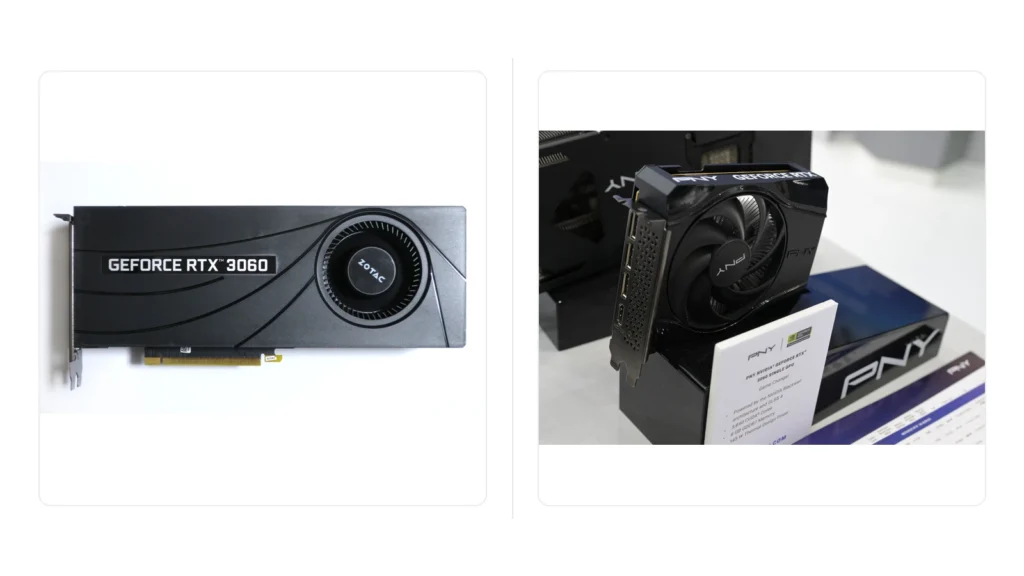


The RTX 5060 is a real performance upgrade from the RTX 3060, but it is not an automatic buy. Recent independent testing commonly puts the RTX 5060 roughly 35% to 50% ahead in rasterized gaming, depending on the game and settings. The awkward part is memory: the RTX 3060 has 12 GB of VRAM, while the RTX 5060 has 8 GB.
That makes this upgrade much easier to recommend for a 1080p player who wants more FPS and newer NVIDIA features than for a 1440p player who regularly uses high-resolution textures, heavy mods, or memory-hungry settings.
Why the RTX 3060 to RTX 5060 question matters in 2026
This is not a niche comparison built around one person’s PC. Steam’s September 2026 Windows Hardware Survey lists the desktop RTX 3060 at 3.66% and the RTX 5060 at 4.40%. The RTX 3060 is no longer the largest named GPU entry, but it remains a substantial part of the surveyed Windows installed base. September also shows unusually large simultaneous shifts across several survey categories, so these figures are useful context rather than a clean measure of GPU sales or direct upgrade flows.
That means a large group of PC gamers is still facing this kind of upgrade decision: keep a still-usable Ampere card, move to the current 60-class GPU, or skip a tier and wait for a more substantial jump.
Source: Steam Hardware & Software Survey.
For the broader six-month installed-base trend through September, including why the latest survey needs extra caution, see our Steam Hardware Survey 2026 analysis.
The differences that actually matter
| Feature | RTX 3060 12GB | RTX 5060 8GB |
|---|---|---|
| Architecture | Ampere | Blackwell |
| VRAM | 12 GB GDDR6 | 8 GB GDDR7 |
| Memory bandwidth | 360 GB/s | 448 GB/s |
| Board power | About 170 W reference spec | About 145 W reference spec |
| Launch MSRP | $329 | $299 |
| Frame-generation generation | No DLSS 4 Multi Frame Generation | DLSS 4 Multi Frame Generation in supported games |
The RTX 5060 is faster and uses newer memory technology, but the VRAM capacity drops by one third. That single tradeoff is why this comparison cannot be reduced to a simple generation number.
How much faster is the RTX 5060 than the RTX 3060?
There is no honest single percentage that applies to every game.
GamersNexus found the RTX 5060 roughly 34% to 49% faster than the RTX 3060 across the games it discussed in its review. Tom’s Hardware’s 2026 hierarchy currently reports aggregate raster results of about 88.5 FPS vs 61.5 FPS at 1080p Ultra and 59.8 FPS vs 41.9 FPS at 1440p Ultra for the RTX 5060 and RTX 3060 respectively.
Those Tom’s Hardware results work out to a little over 40% in that particular test suite. TechSpot’s multi-generation 60-class testing also shows a substantial gain from the 3060 to the 5060, but the size changes by title, preset, and resolution.
So the useful takeaway is:
Expect a meaningful native-performance increase, often somewhere in the 35% to 50% range, but do not treat that range as a guaranteed result for your game.
Independent measurement sources: GamersNexus, Tom’s Hardware GPU hierarchy, and TechSpot’s RTX 60-class comparison.
The 8 GB vs 12 GB VRAM problem is real, but easy to exaggerate
The RTX 5060 has less VRAM than the RTX 3060, but that does not make the older GPU faster in normal gaming. The 5060 has substantially more processing performance and much faster GDDR7 memory.
The issue appears when a game or setting actually exceeds what the 8 GB buffer can comfortably handle.
TechSpot documented a useful example in Horizon Zero Dawn Remastered. At a very high quality preset, the 8 GB cards suffered severe low-frame and frame-time problems while the 12 GB RTX 3060 handled the memory demand better. In lower-memory conditions, the RTX 5060 returned to being much faster.
That is the right way to think about the VRAM difference:
- 8 GB is not automatically too small for every 2026 game.
- 12 GB does not make the RTX 3060 generally faster.
- VRAM-heavy settings can create cases where the nominally faster RTX 5060 behaves worse.
If your games already push beyond 8 GB at the settings you care about, moving from 12 GB down to 8 GB deserves serious thought.
For 1080p gaming, the RTX 5060 is the easier upgrade to justify
At 1080p, the RTX 5060’s raw performance uplift is more likely to matter before its 8 GB limit becomes the main problem, especially if you use sensible texture and ray-tracing settings.
It also gives you access to newer Blackwell features including DLSS 4 Multi Frame Generation in supported games.
That does not mean every RTX 3060 owner should upgrade. If the 3060 already holds your target frame rate in the games you play, spending money to solve a problem you do not have is poor value.
If your decision is broader than this one matchup, our RTX 3060 Upgrade Guide for 2026 compares several current upgrade paths and the tradeoffs that matter before buying.
A useful question is:
What target can the RTX 3060 no longer meet?
If you cannot name that target, keep the card for now.
For 1440p high settings, the decision is less clean
The RTX 5060 is faster at 1440p in independent benchmark suites, but 8 GB becomes a more important limitation as resolution, texture quality, ray tracing, mods, and future game demands increase.
If your actual goal is a long-lived 1440p high-settings upgrade, the better question may not be “3060 or 5060?” It may be whether spending more for a card with more memory and a larger performance jump makes more sense.
That can point toward higher-memory versions such as an RTX 5060 Ti 16GB or a higher performance tier, depending on current pricing. Do not buy a more expensive card simply because it exists. Compare the extra cost with the performance and memory headroom you actually need.
DLSS 4 and Multi Frame Generation matter, but they do not replace native performance
NVIDIA’s RTX 5060 supports DLSS 4 features including Multi Frame Generation in compatible games. That can produce much higher displayed frame rates than the RTX 3060 can generate with its older feature set.
But generated frames should not be treated as the same thing as a 2x or 4x increase in native rendering performance.
Base frame rate, latency, image quality, and game support still matter. Multi Frame Generation is a useful feature advantage, not a reason to multiply benchmark FPS numbers and call that the hardware’s raw speed.
Official feature source: NVIDIA RTX 5060 family announcement.
Power is not a reason to avoid the RTX 5060
Reference specifications put the RTX 3060 around 170 W board power and the RTX 5060 around 145 W. Actual board-partner cards vary, but the newer card is not asking for a dramatically larger power budget despite being faster.
That does not guarantee your existing PSU or connector setup is correct for every RTX 5060 model. Check the exact card you plan to buy rather than relying on the GPU name alone.
Price can completely change the answer
The RTX 5060 launched with a $299 starting MSRP. That number is useful for historical context, but it is not a promise that you can buy a good model for $299 today.
Current 2026 GPU pricing remains volatile, and some retail listings sit well above launch pricing. A 40% performance uplift can be attractive near MSRP and much less attractive when the card costs substantially more.
Use the actual price you can pay today, not the launch slide.
If the RTX 5060 is heavily marked up, keeping the RTX 3060 and saving toward a larger upgrade can be the better decision.
RTX 3060 to RTX 5060: who should upgrade?
| Your situation | Our decision | Why |
|---|---|---|
| 1080p gamer, RTX 3060 no longer reaches your FPS target, RTX 5060 near a sensible price | RTX 5060 can make sense | The native uplift is large enough to notice and newer DLSS features add value. |
| RTX 3060 already meets your 1080p target | Keep the RTX 3060 | You are spending money without solving a current performance problem. |
| 1440p high/ultra gamer who often uses VRAM-heavy games or mods | Consider skipping higher | 8 GB makes the 5060 a less comfortable long-term step from a 12 GB card. |
| You specifically want DLSS 4 Multi Frame Generation in supported games | RTX 5060 gains a feature advantage | RTX 3060 cannot offer the same Blackwell MFG feature set. |
| RTX 5060 is selling far above a sensible street price | Wait or compare alternatives | The upgrade value depends on price, not only FPS. |
| You want roughly double the native performance from your next upgrade | Skip the RTX 5060 | A 35% to 50% class uplift is meaningful, but it is not a 2x native-performance upgrade. |
Our current take
The RTX 5060 is not a bad upgrade from the RTX 3060. It is simply a more conditional upgrade than the model numbers suggest.
If your target is 1080p, your RTX 3060 has started missing the FPS you want, and the 5060 is available at a sensible price, the performance increase is large enough to be useful.
If your RTX 3060 still does the job, keep it.
If your goal is high-quality 1440p with more memory headroom, buying another 60-class card with only 8 GB may not be the step you want to live with for several years. In that case, saving for a higher-memory, higher-tier upgrade is a more coherent plan.
For a wider keep-or-upgrade decision, see our RTX 3060 upgrade options for 2026. It compares higher-VRAM alternatives, power requirements and pricing so you can weigh the RTX 5060 against other possible upgrades.
We have not benchmarked an RTX 5060 ourselves yet, so the performance ranges in this article are explicitly based on the independent test suites linked above. When IGZ publishes first-hand GPU comparisons, our measurement process will follow the Testing Methodology.